APC UPS Network Management Card with Environmental Monitoring — AP9619
Condition: Tested • Platform: SmartSlot / NMC1 • Management: Web + SNMP
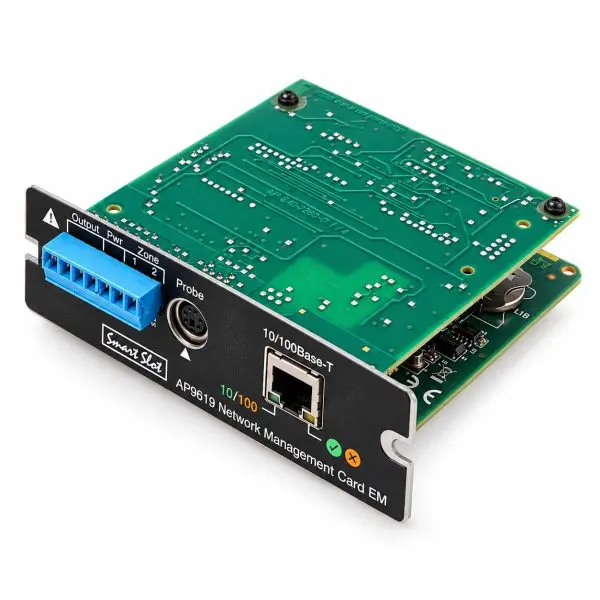
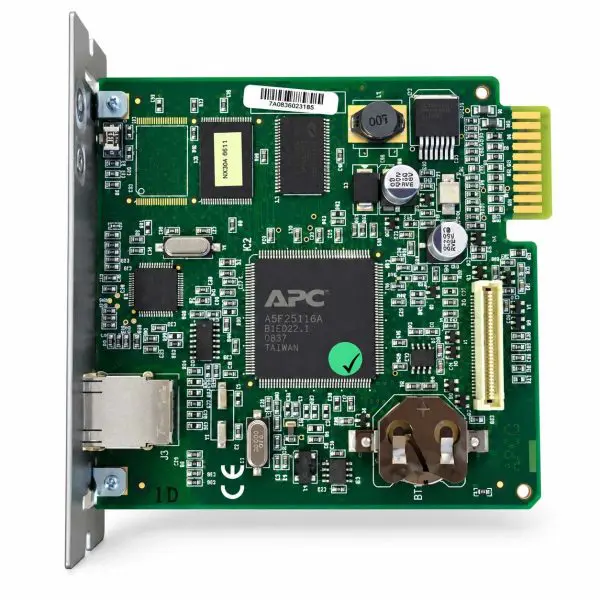
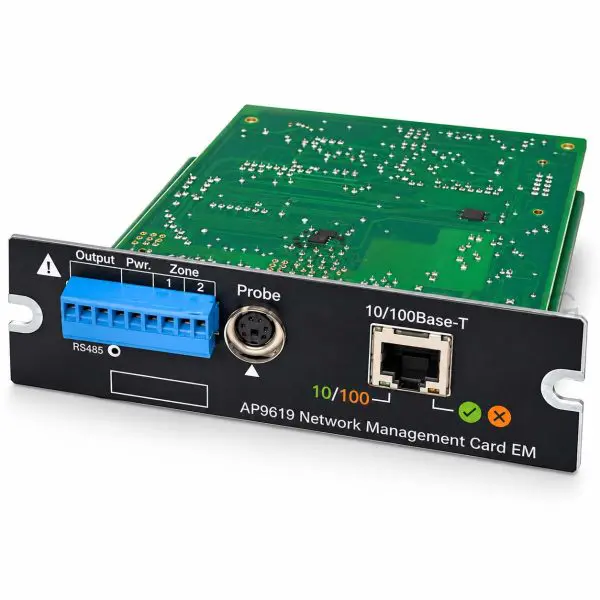
The APC AP9619 Network Management Card EM combines remote UPS management with environmental monitoring for compatible legacy APC UPS systems. Access UPS information through its web interface, integrate with SNMP monitoring tools, and review recorded events and operating data.
With the appropriate compatible probe, monitor temperature or temperature and humidity alongside UPS operating conditions. This tested first-generation Network Management Card (NMC1) is a replacement option for supported older installations. Confirm UPS compatibility and supplied accessories before ordering.
Key Features
- Web and SNMP management — access supported UPS information, settings, and alarms over the network.
- Environmental monitoring — track temperature or temperature and humidity using the correct legacy probe.
- Contact monitoring and relay output — includes two input contacts and one output relay for compatible external connections.
- Event and data logs — review recorded alarms and operating information to support troubleshooting.
Important: Verify Your UPS Model Before Ordering
The AP9619 is not a universal APC network card. Compatible equipment includes select older Smart-UPS SU, SUA, SUM, SURT, SURTA, and SURTD models, plus supported Symmetra and Matrix systems, subject to model and firmware requirements. It is not supported in Smart-UPS SMT, SMX, or SRT families. A matching SmartSlot opening alone does not confirm compatibility.
| Technical Specifications |
AP9619 |
| Manufacturer |
APC / Schneider Electric |
| Model / Part Number |
AP9619 |
| Product Type |
Network Management Card EM with environmental monitoring — NMC1 |
| Condition |
Tested |
| Network Connection |
RJ45 Ethernet, 10/100 Mbps |
| Management Access |
Web interface, SNMP, and control console |
| IP Configuration |
Static IP, DHCP, or BOOTP; see DHCP setup note below |
| Temperature Probes |
AP9512T or AP9512TBLK |
| Temperature / Humidity Probes |
AP9512TH or AP9512THBLK |
| Contact Inputs / Output |
Two input contacts (Zones 1 and 2) and one output relay |
| Logging |
Event log and data log |
| UPS Interface |
APC SmartSlot in supported legacy equipment |
| Product Status |
Legacy / discontinued model |
Environmental Sensors & Accessories
A compatible external probe is required for temperature or humidity readings. A temperature-only probe does not provide humidity measurements. Use the appropriate AP9512T or AP9512TH-series probe listed above.
Accessory compatibility matters: The newer AP9335T and AP9335TH sensors are not supported by this card’s environmental probe connection. Confirm whether a compatible probe and any required connection accessories are included with your order.
Deployment & Network Setup
Use a documented static IP or a properly configured DHCP reservation for consistent monitoring. Record network settings, SNMP configuration, and environmental alarm thresholds for future service.
DHCP setup note: NMC1 cards require an APC vendor cookie in DHCP Option 43 by default. A DHCP reservation alone may not be sufficient unless the server supplies the required option or the card’s cookie requirement has been disabled.
Legacy Network Security Notice
The AP9619 is a discontinued legacy platform. Its older HTTPS implementation may not work with modern browser security requirements. Deploy it on a restricted management network, change default credentials, and limit access to authorized personnel. Do not expose the card directly to the public internet.
Why Buy from Gruber Power Services?
- Tested hardware — checked for power-up and core network-management operation before shipment.
- Compatibility assistance — help reviewing your UPS model, firmware requirements, and environmental probe options.
- Practical deployment support — guidance for network setup, SNMP monitoring, and environmental alert configuration.
Ordering & Configuration — UPS Model Required
Please provide the UPS brand and full model number when ordering. A clear photo of the UPS identification label is also helpful. This allows us to review compatibility and firmware requirements before shipment.
Environmental monitoring requirements: Tell us whether you need temperature-only or temperature-and-humidity monitoring. Include the part number of any existing probe you plan to reuse so compatibility can be checked.
Network preconfiguration: Request this before shipment so available options and required IP settings can be confirmed. Otherwise, your technician or IT staff will need to complete site-specific network and alarm configuration after installation.
Order processing note: Missing UPS information may delay processing while we contact you to confirm compatibility. Installation and external contact wiring should follow the applicable APC instructions for the UPS and management card.